Montessori Compass includes a variety of reports to help teachers, administrators, and parents stay informed about student progress and classroom activity. This guide outlines the key types of reports available and how they can be used.
Activity Summary Report
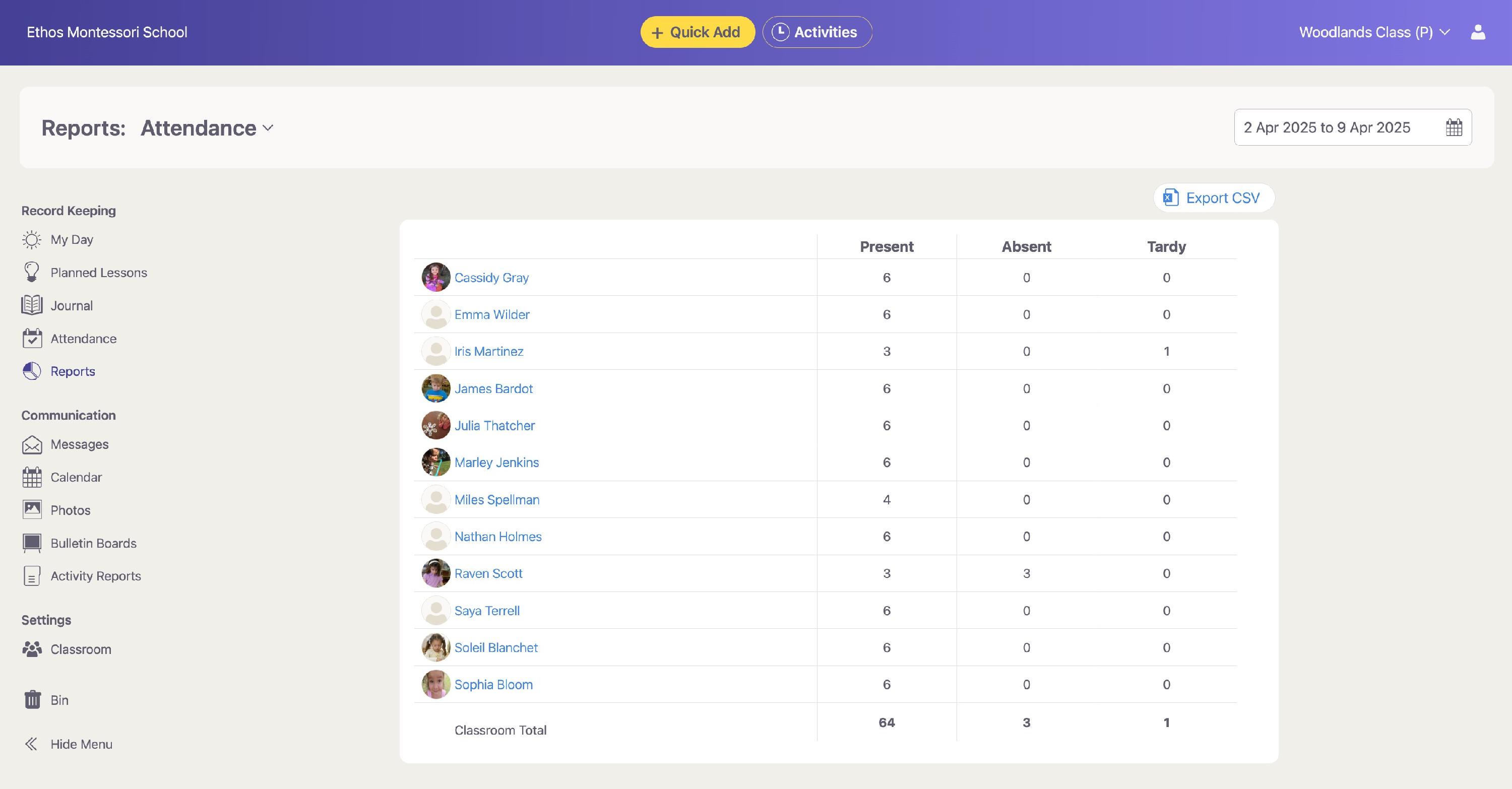
The Activity Summary report provides a high-level view of each student’s engagement over a selected time period or specific date range. It includes:
- Lessons planned and recorded
- Trackers and Observations recorded
- Links to view specific details and edit record keeping
Use this report to:
- Track student engagement
- Ensure every student is getting a similar level of attention and parent communication
Lesson Distribution Report and Charts
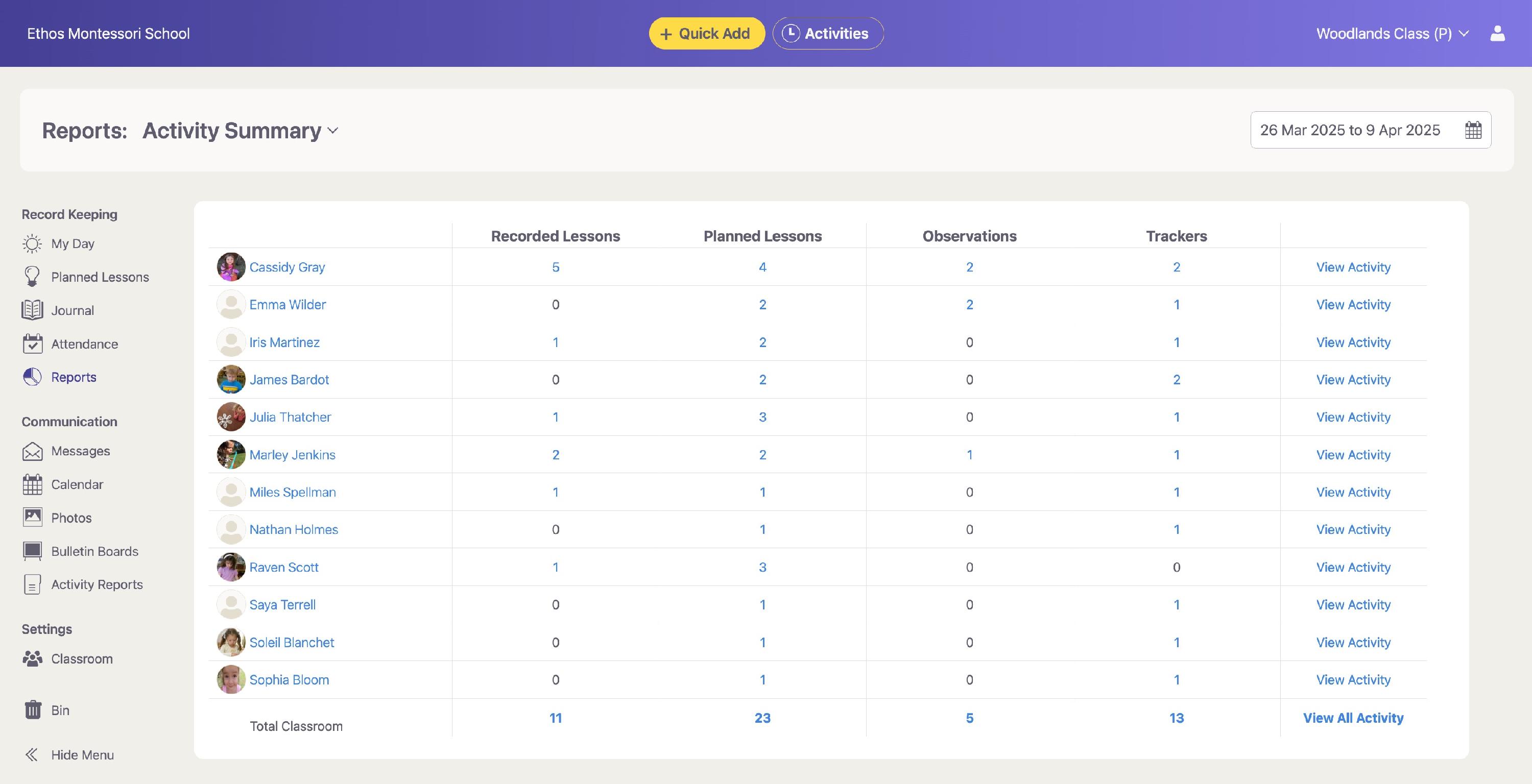
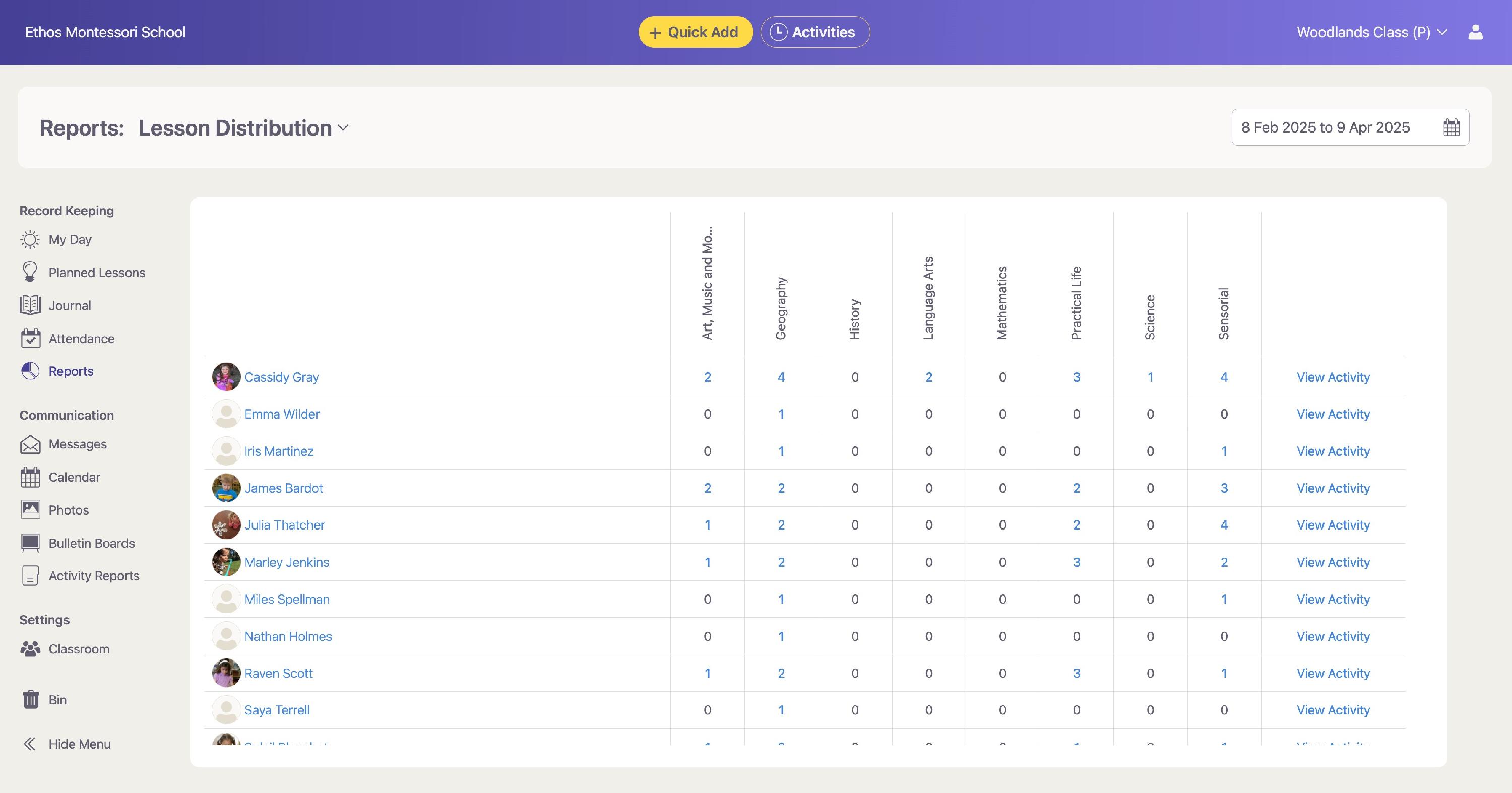
The Lesson Distribution report and Charts use pie charts and graphs to visualize how lessons are distributed across different curriculum categories. It includes:
- Number and percentage of lessons per category (e.g., Practical Life, Math, Language, Sensorial) presented to All Classrooms, one specific classroom, or an individual student
- Comparison between students or classrooms
Use these reports to:
- Identify areas of over- or under-emphasis
- Ensure curriculum balance
- Inform planning and adjustments
Attendance Reports
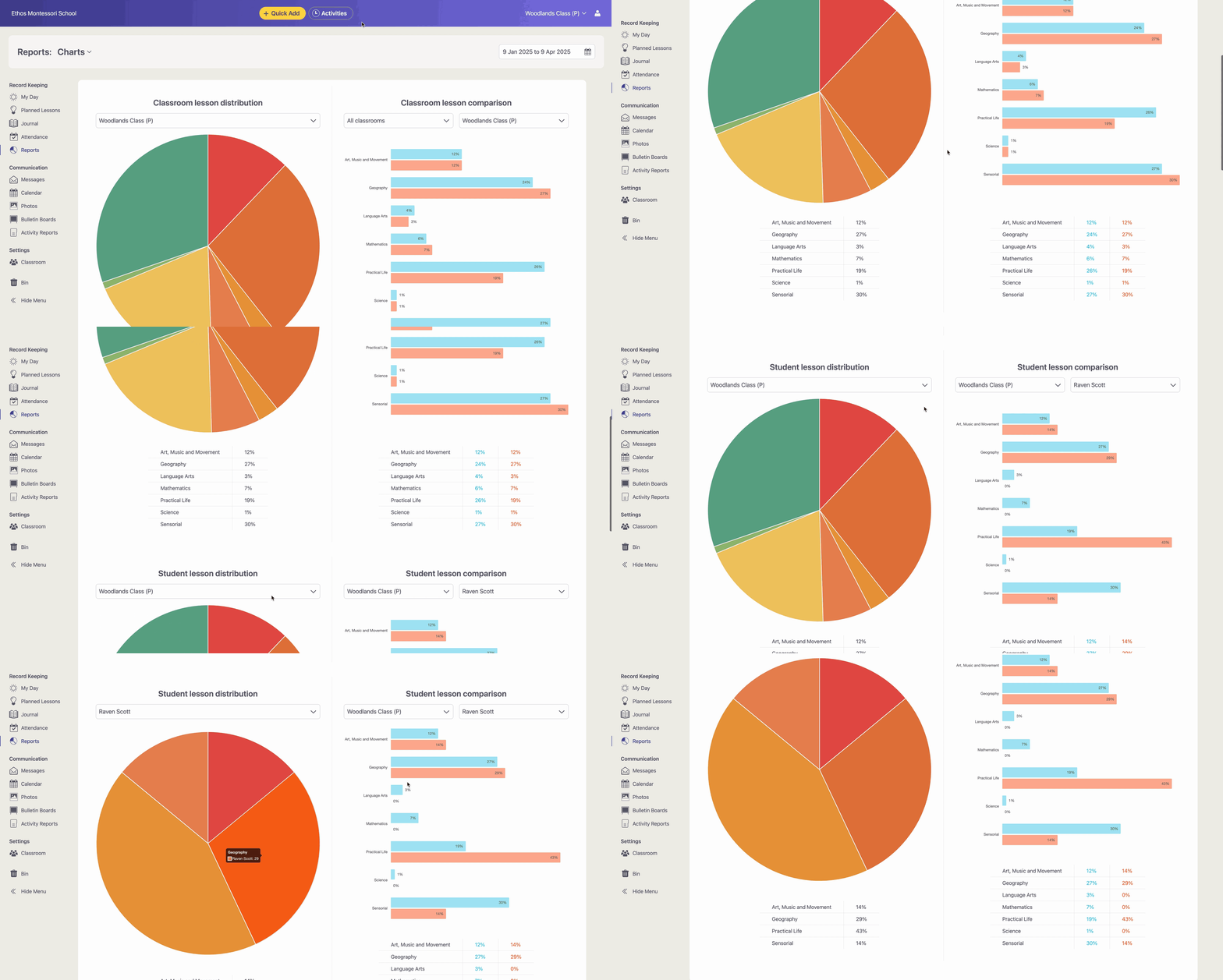
These reports offer a detailed view of attendance records, including:
- Daily attendance status (Present, Absent, Tardy)
- Arrival and departure times
- Reasons for absences, tardies, and general notes
- Summary charts showing attendance totals per student
Use this report to:
- Track attendance patterns
- Identify students with frequent tardiness or absences
- Share consistent records with families or school administrators